Cloud Identity / Access Management
MICROSOFT
ENTRA ID.
Configured a Microsoft Entra ID (also known as Azure AD) environment to practice cloud identity, authentication, and best practices for security. (Multi-Factor Authentication, Self-Service Password Reset, Role-Based Access Control, and Conditional Access)
01 — Objective
Build practical experience managing cloud identities, authentication, MFA, access permissions, and security policies using Microsoft Entra ID.
02 — Environment
03 — Implementation
04 — Lab Evidence
01 — Entra ID Overview
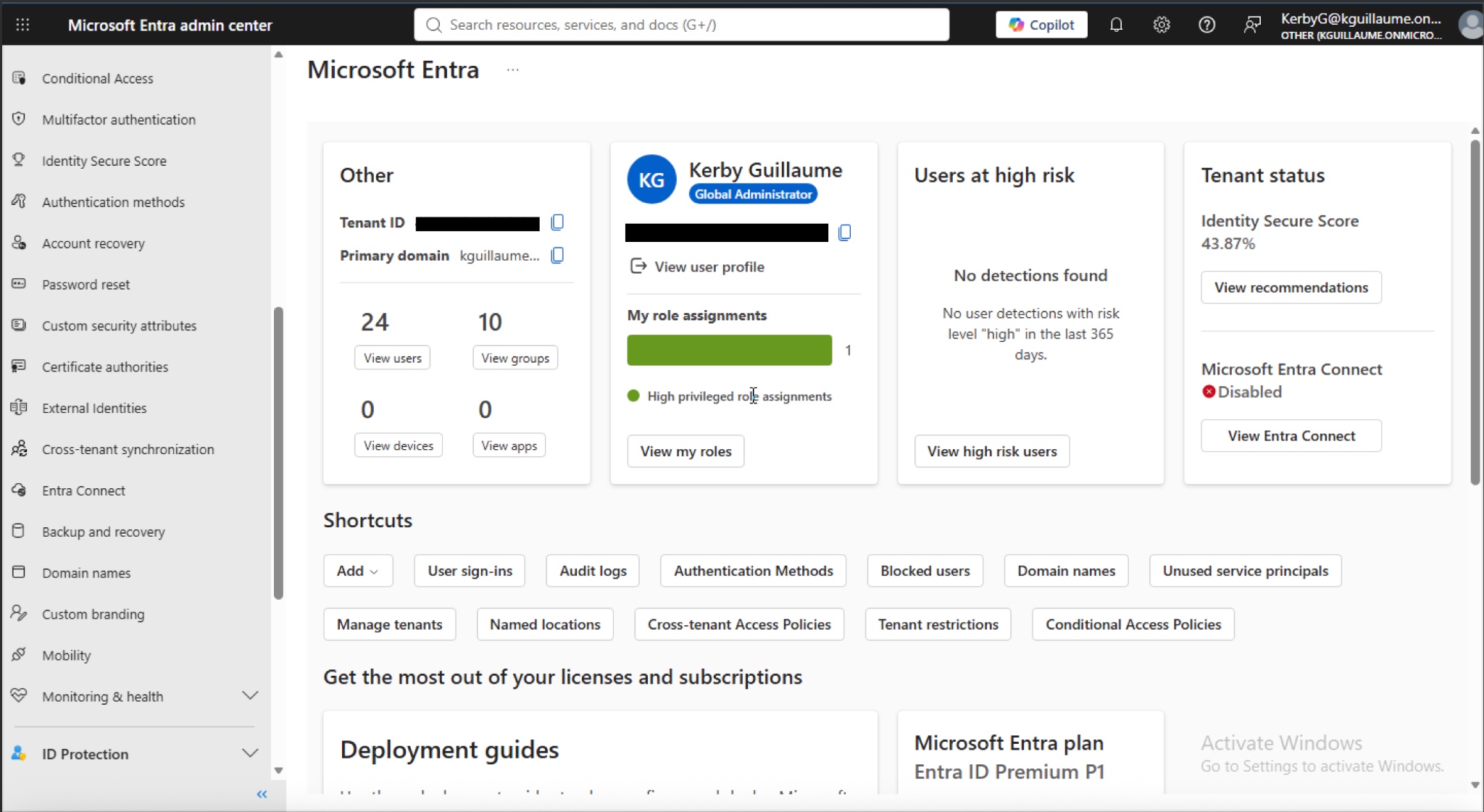
Microsoft Entra ID Dashboard
I used the Microsoft Entra admin center to manage cloud identities and access-related configurations within my organization.
02 — User Management
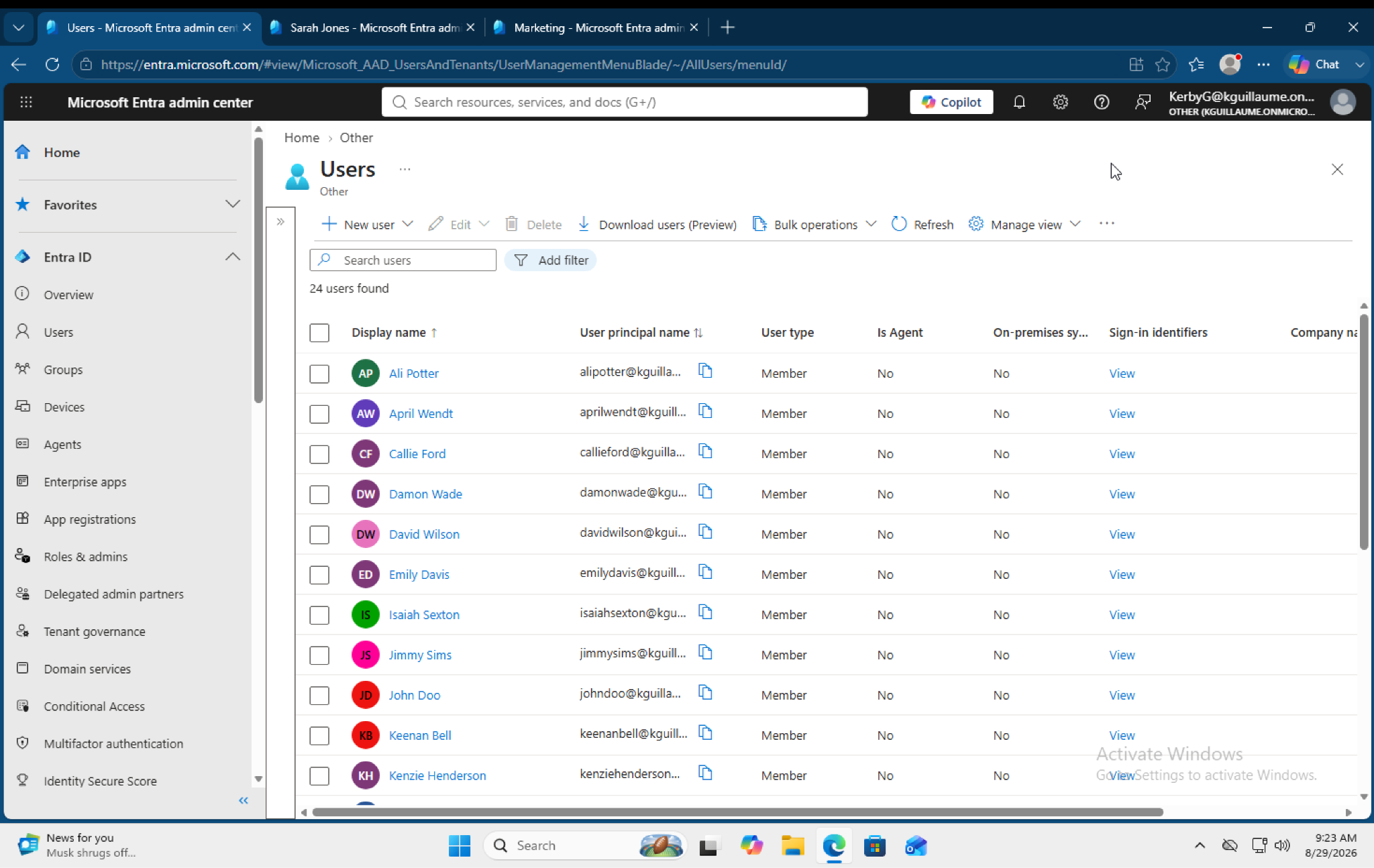
Created and Managed Cloud Users
I created test user accounts within Microsoft Entra ID to simulate users in an organizational environment.
03 — Group Management
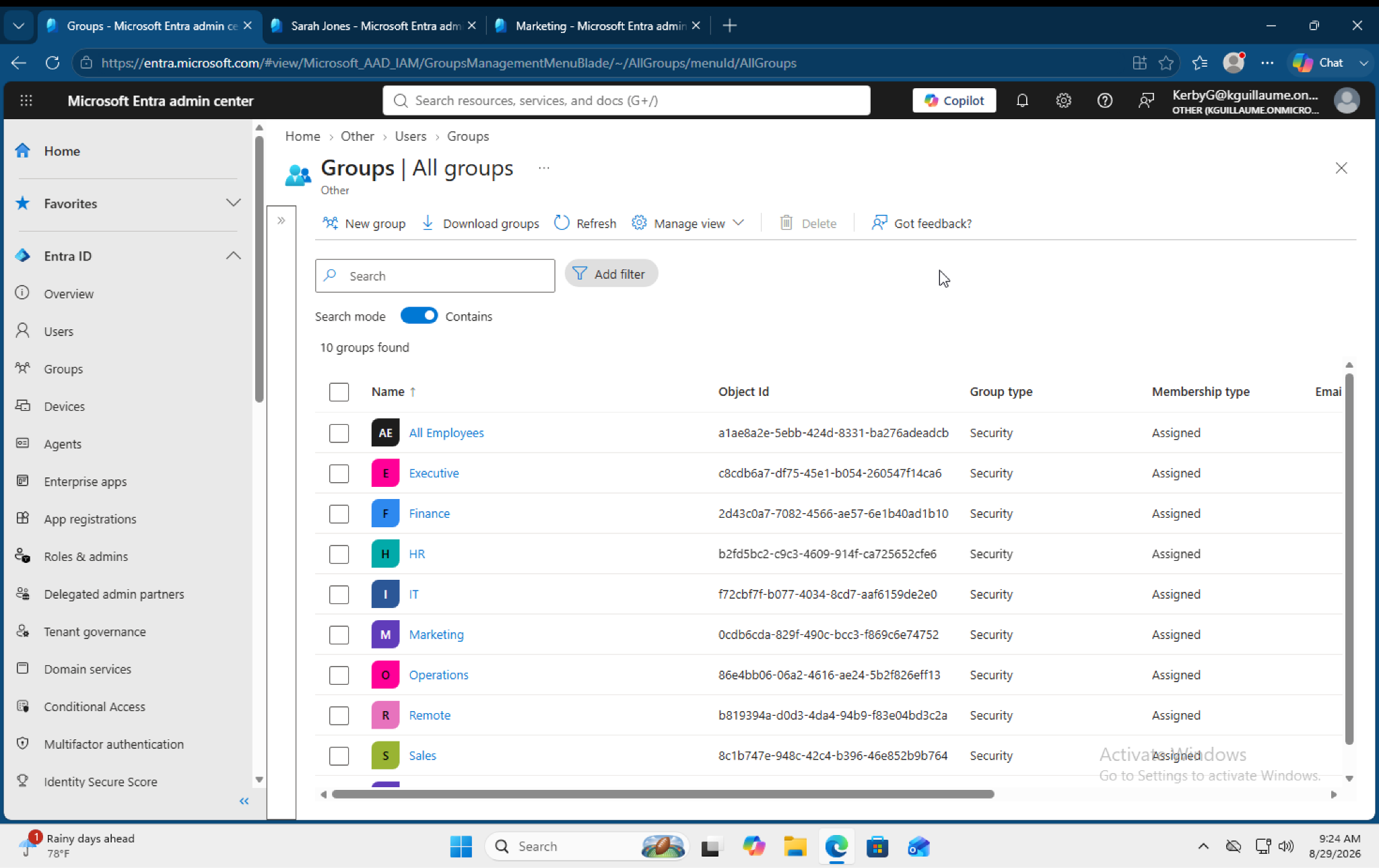
Configured Security Groups
I created and managed security groups to organize users and support access management.
04 — SSPR User Configuration
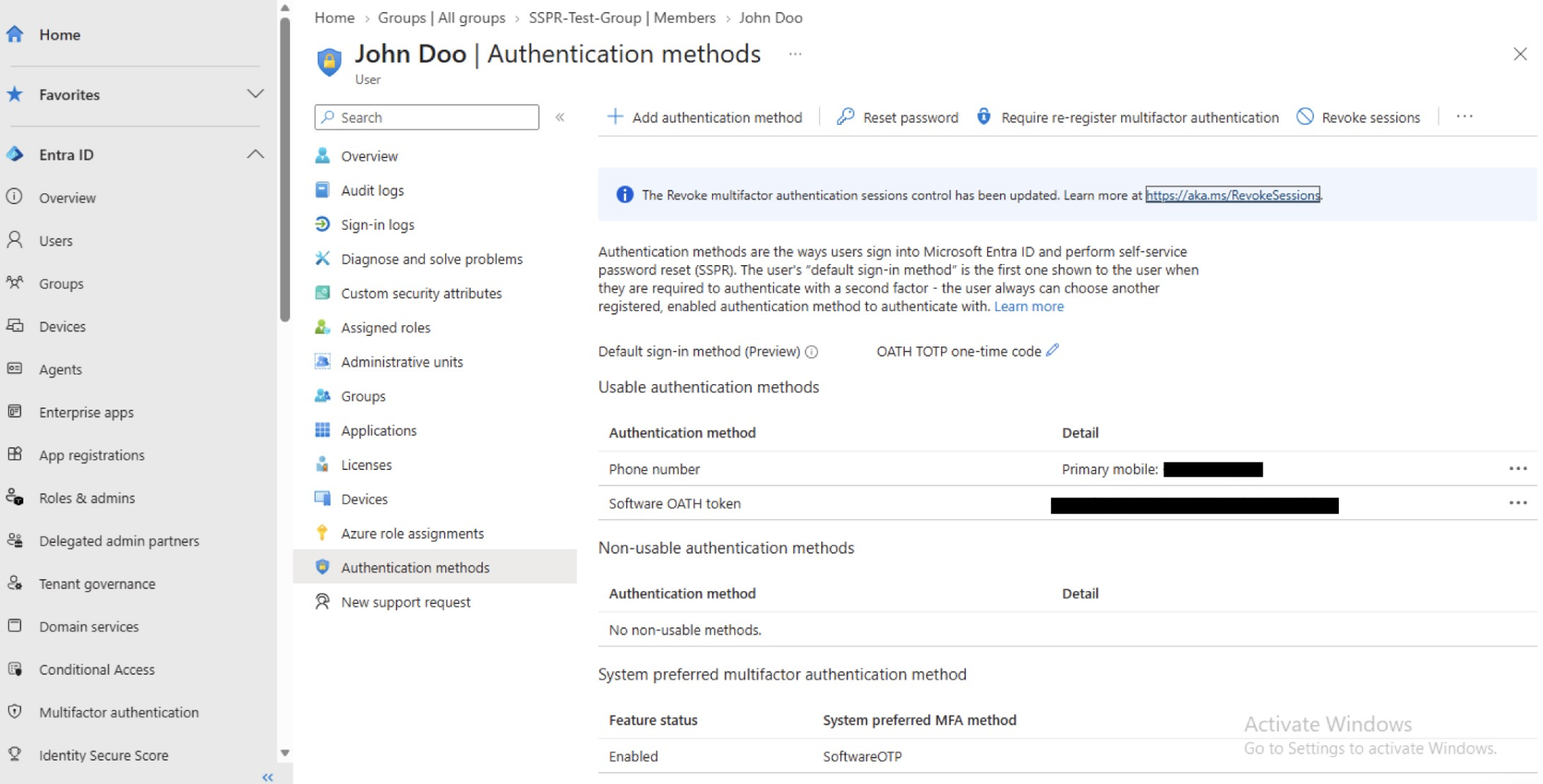
Configured SSPR for a Test User
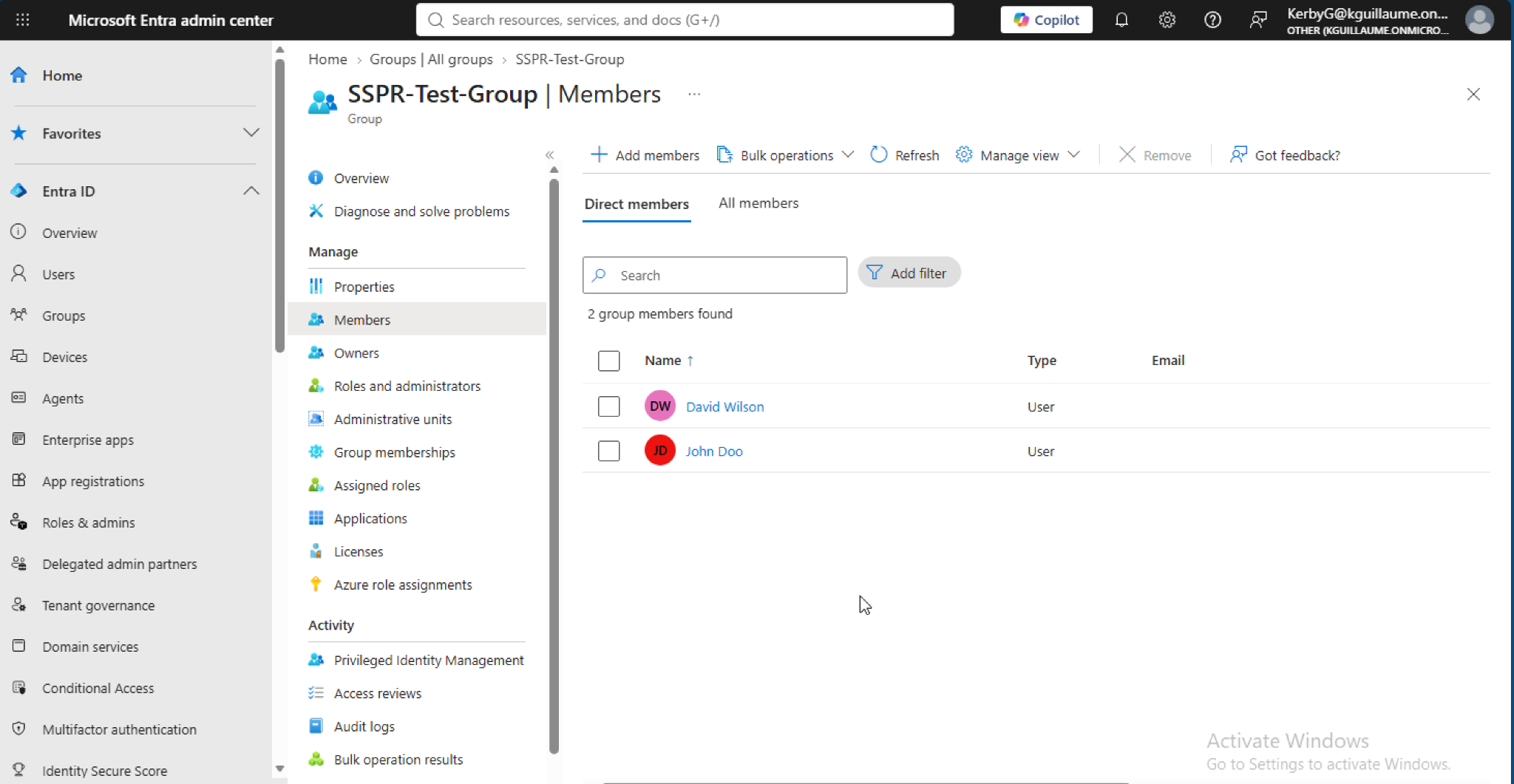
I configured Self-Service Password Reset for the designated test user, John Doo, to participate in the password reset workflow.
05 — SSPR Group Configuration
Configured SSPR for a Security Group
I configured Self-Service Password Reset using a designated security group to control which users participate in the SSPR policy.
06 — RBAC Role Assignment
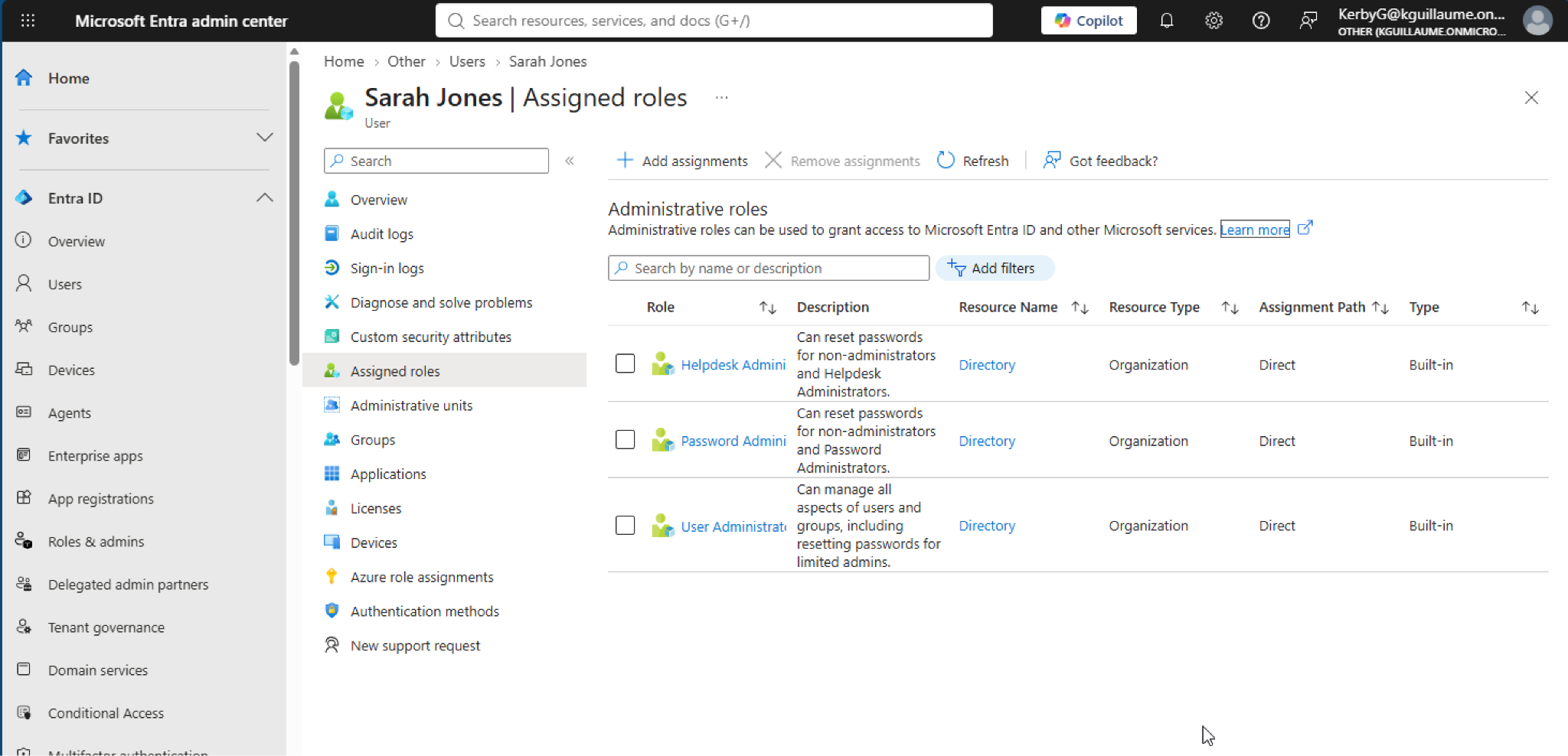
Assigned Role - Sarah Jones
As Sarah is part of the IT department, I assigned her with Helpdesk Admin, Password Admin, and User Admin. This will demonstrate how role-based access control provides users with defined administrative permissions.
07 — RBAC Role Assignment
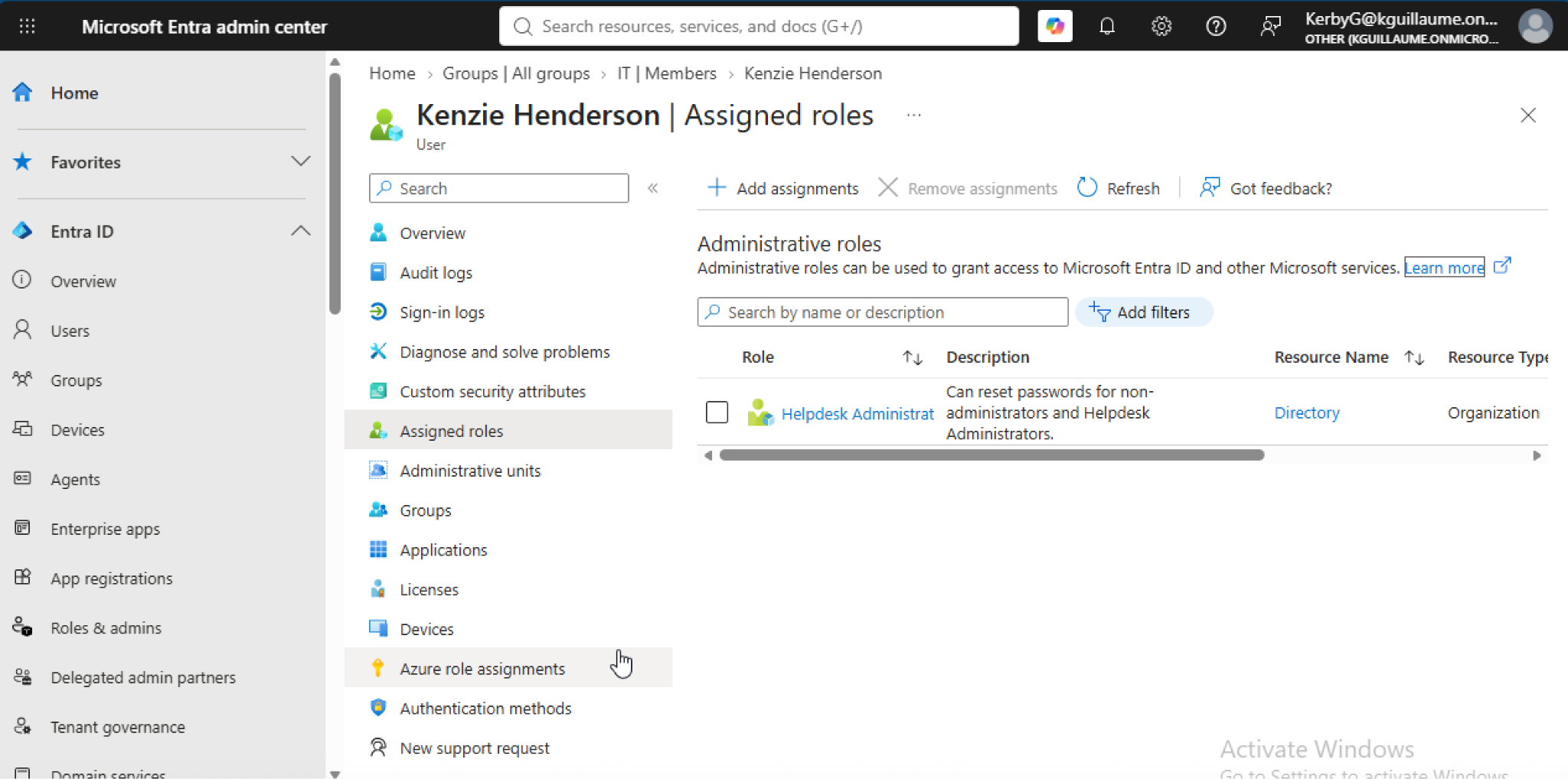
Password Reset Role - Kenzie Henderson
Kenzie Henderson will be our test user here. She has been assigned similar IT admin permissions and has the ability to conduct password resets.
08 — RBAC Permission Test
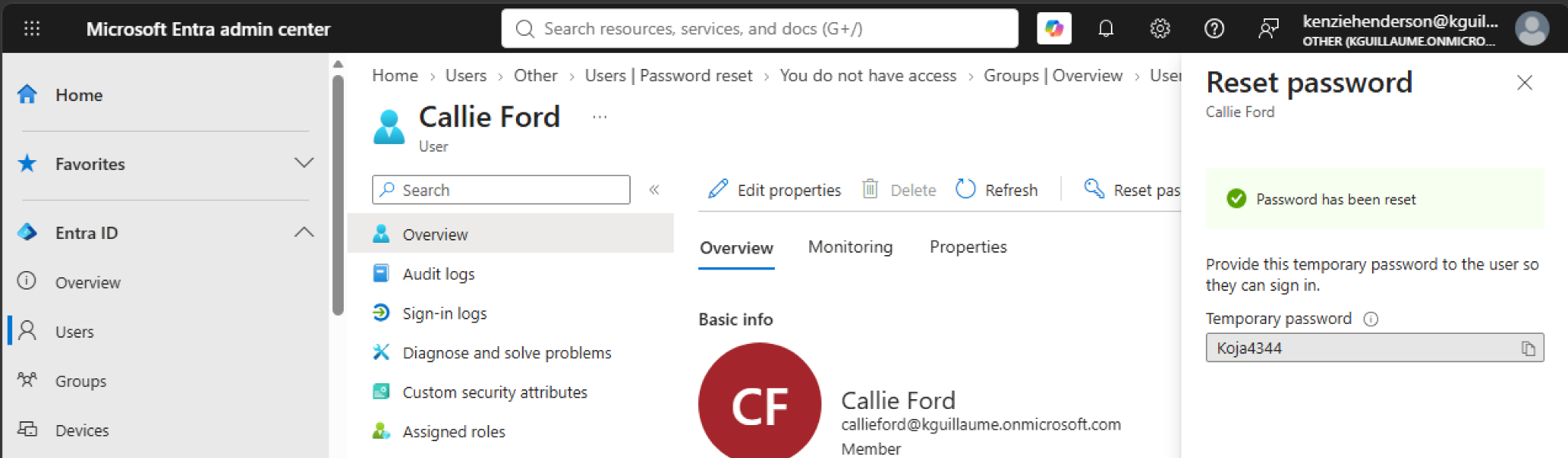
Successfully Reset a User Password
Tested Kenzie's assigned permissions by resetting a fellow employee, Callie's password. The successful password reset confirmed that the assigned role provided the required administrative permission.
09 — RBAC Access Restriction
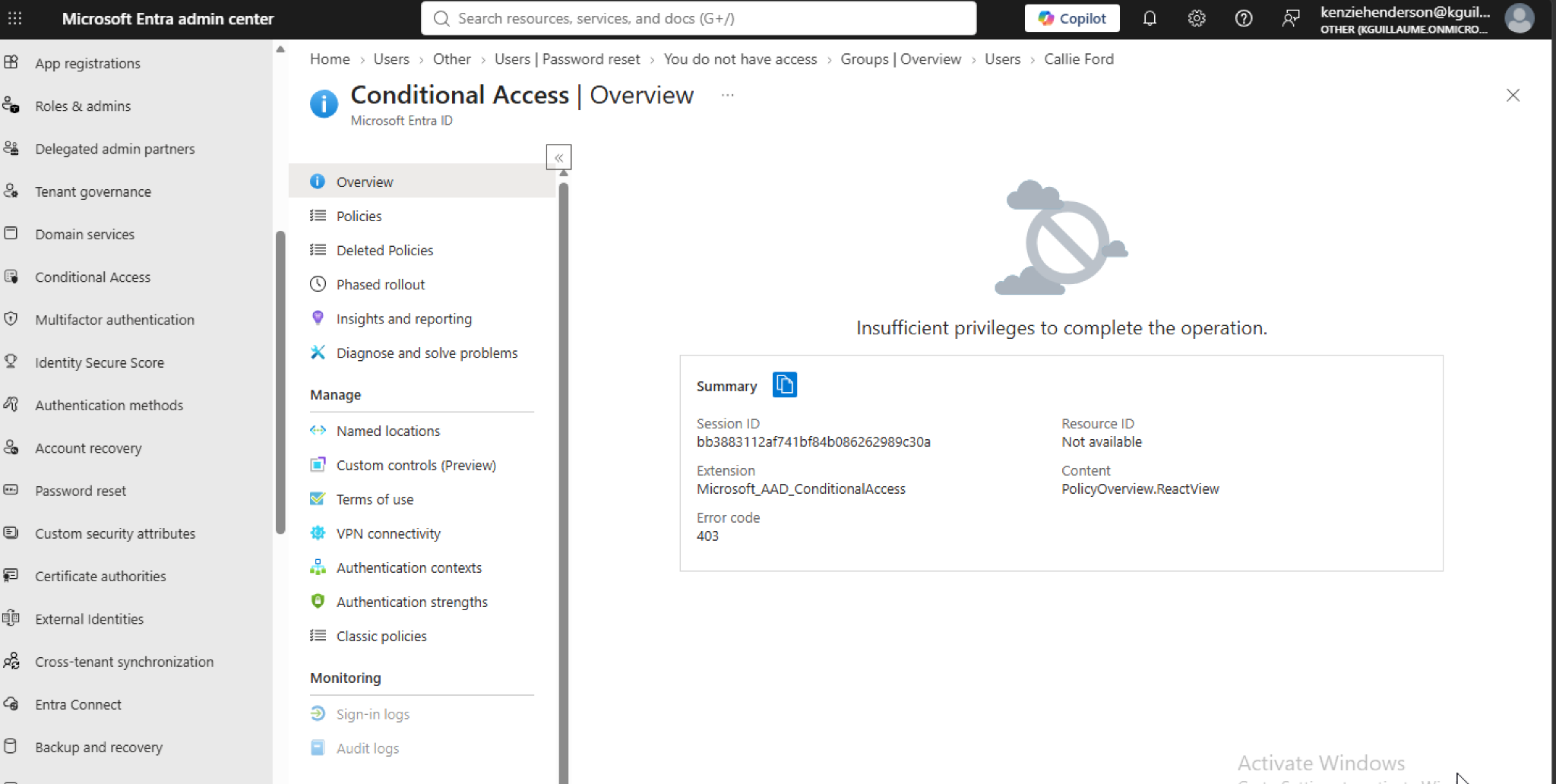
Cannot Access Conditional Access Configurations
While Kenzie could reset a user's password, I tested the boundaries of Kenzie's permissions by attempting to access Conditional Access configurations. Access was restricted, demonstrating that the role did not provide broader security permissions than intended. This reinforces the principle of least privilege, ensuring users only have access to the resources necessary for their role.
10 — Authentication Methods
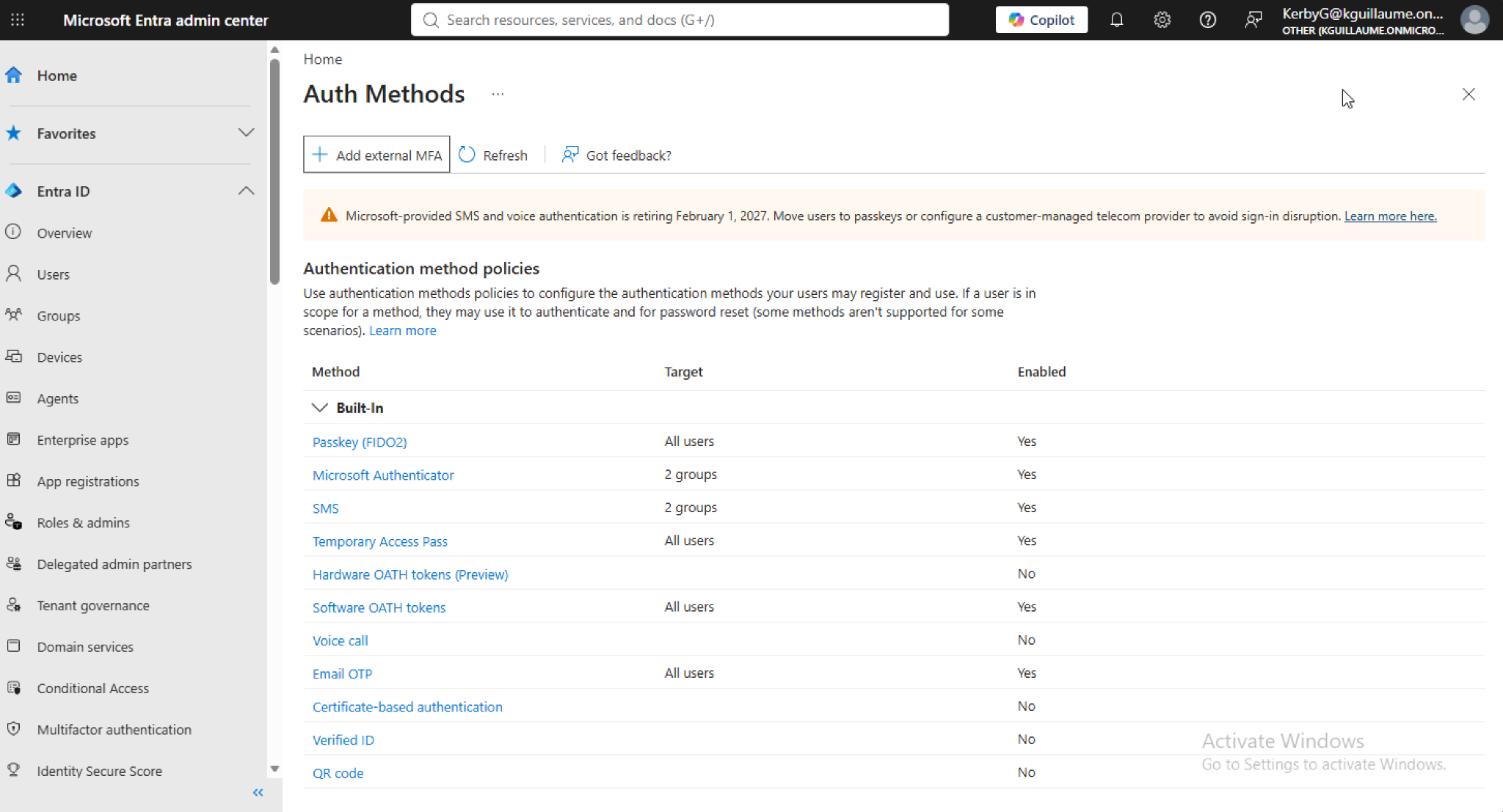
Configured Authentication Methods
I reviewed and configured authentication methods. The configuration demonstrates the available authentication methods and the groups assigned to each method.
11 — MFA Group Assignment
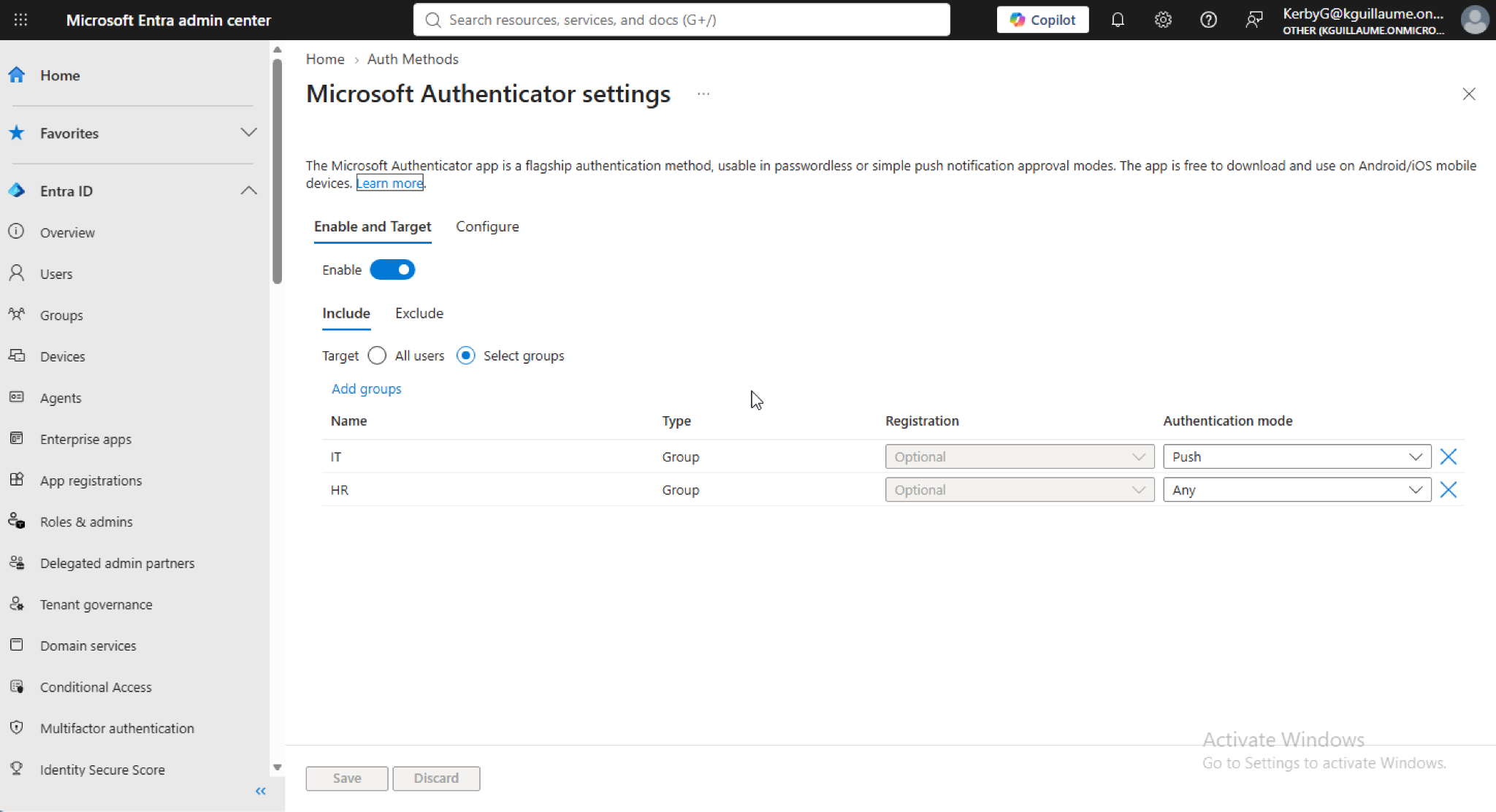
Microsoft Authenticator Assigned to IT and HR
I configured Microsoft Authenticator as an authentication method for the IT and HR groups. This demonstrates group-based assignment of authentication requirements.
12 — MFA User Experience
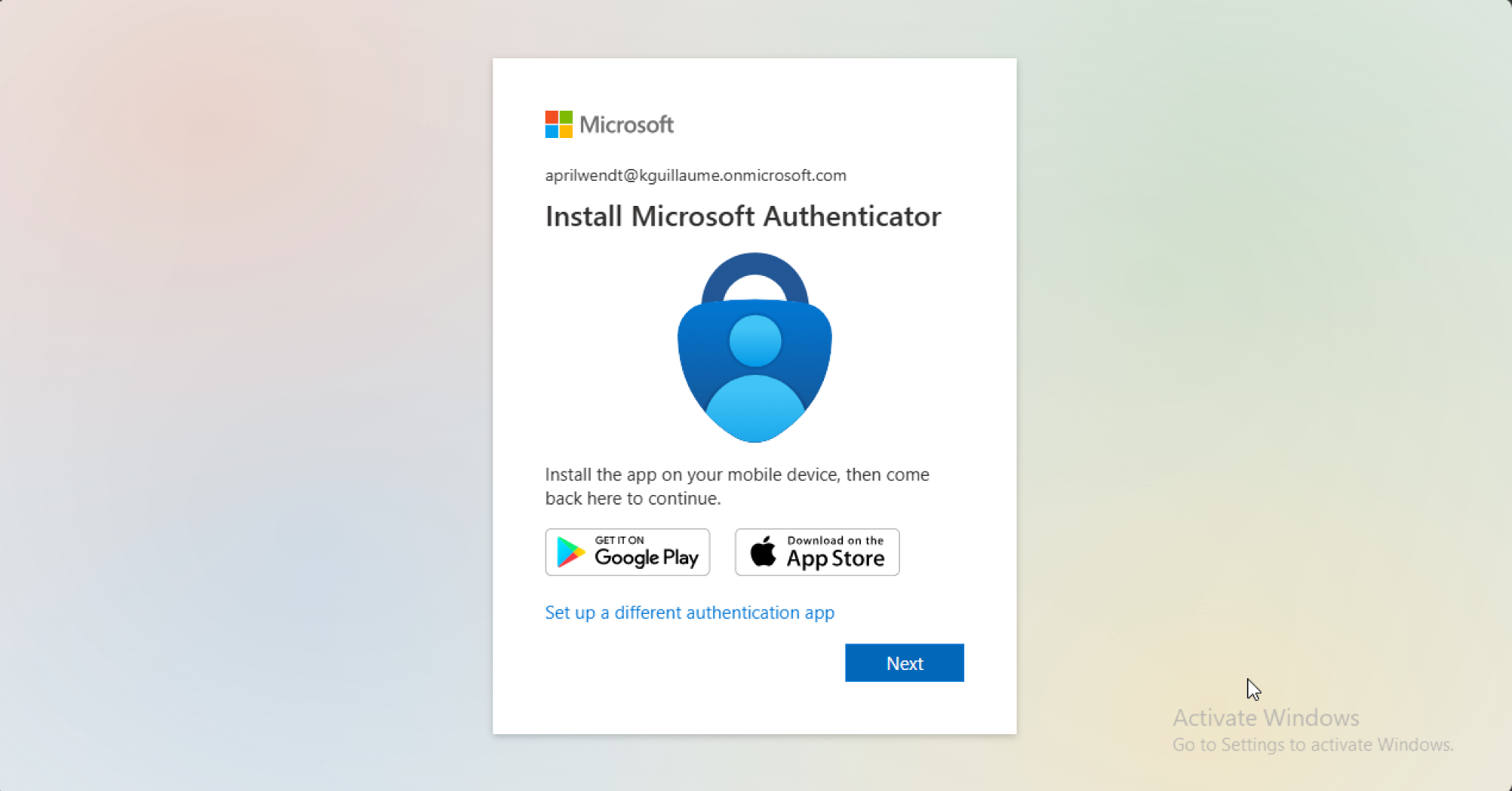
HR User Prompted to Register Microsoft Authenticator
I tested the MFA configuration by signing in as April Wendt, an HR user in my organization. Because she belongs to the HR group conifgured with Authenticator MFA, April was prompted to set up and use Microsoft Authenticator before she could log in.
13 — Conditional Access Overview
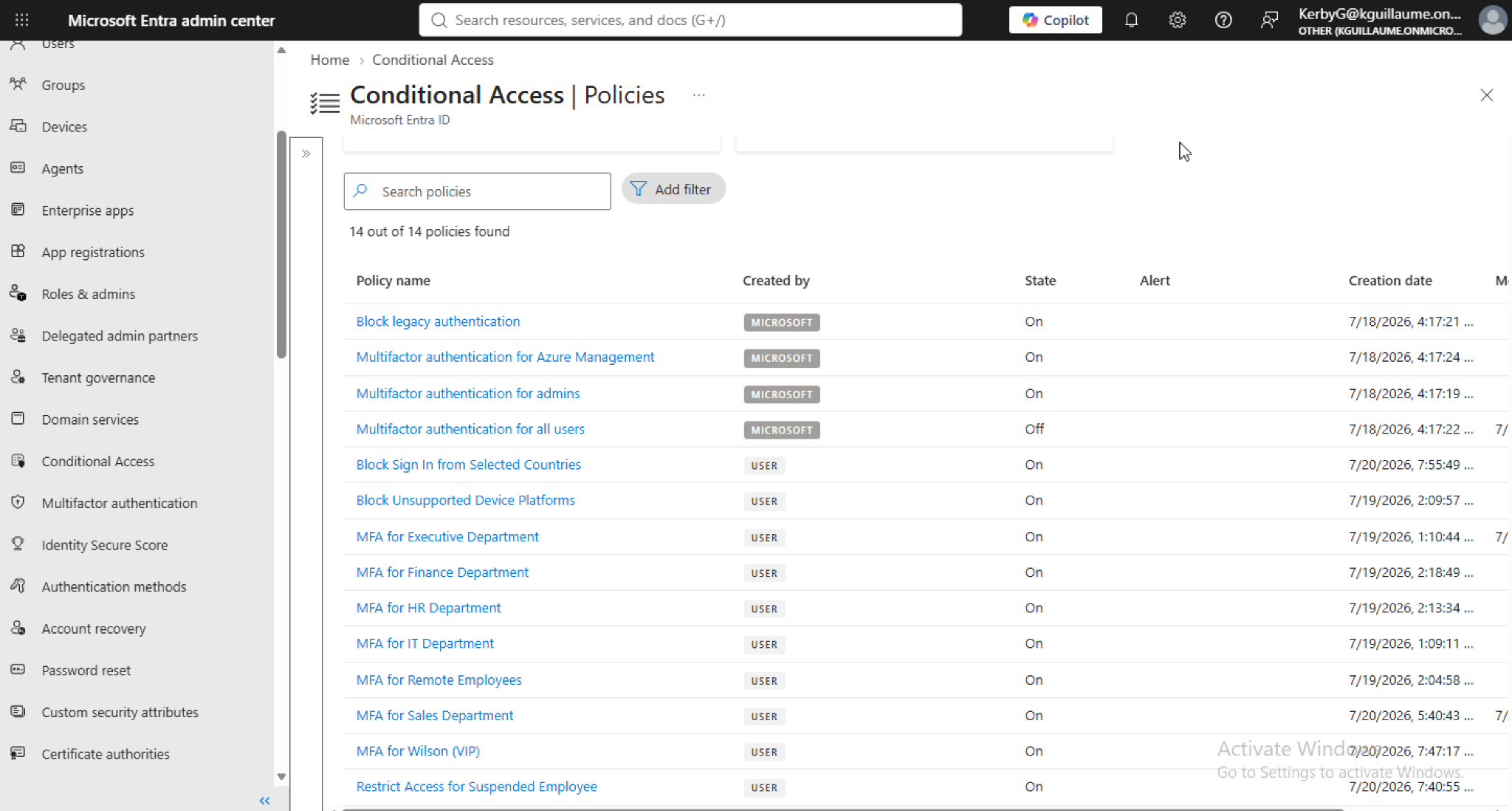
Configured Conditional Access Policies
I configured multiple Conditional Access policies within Microsoft Entra ID to control access based on defined users, conditions, and security requirements.
14 — Conditional Access Policy
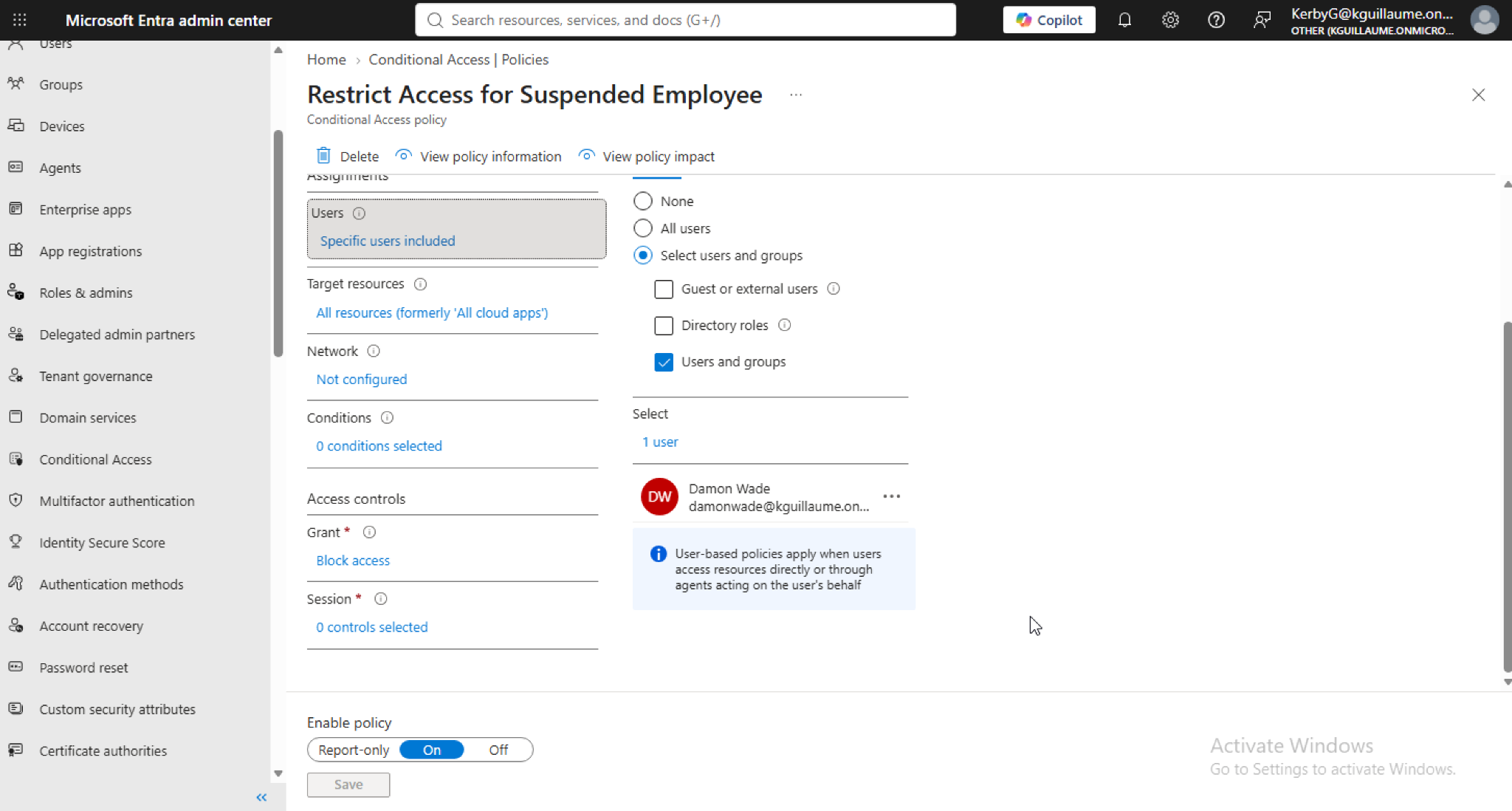
Restrict Access for Suspended Employee
In my organization, I have a suspended employee named Damon Wade. Therefore, I created a policy named "Restrict Access for Suspended Employee" and assigned the policy to Wade, preventing him from logging into any systems.
15 — Conditional Access Test
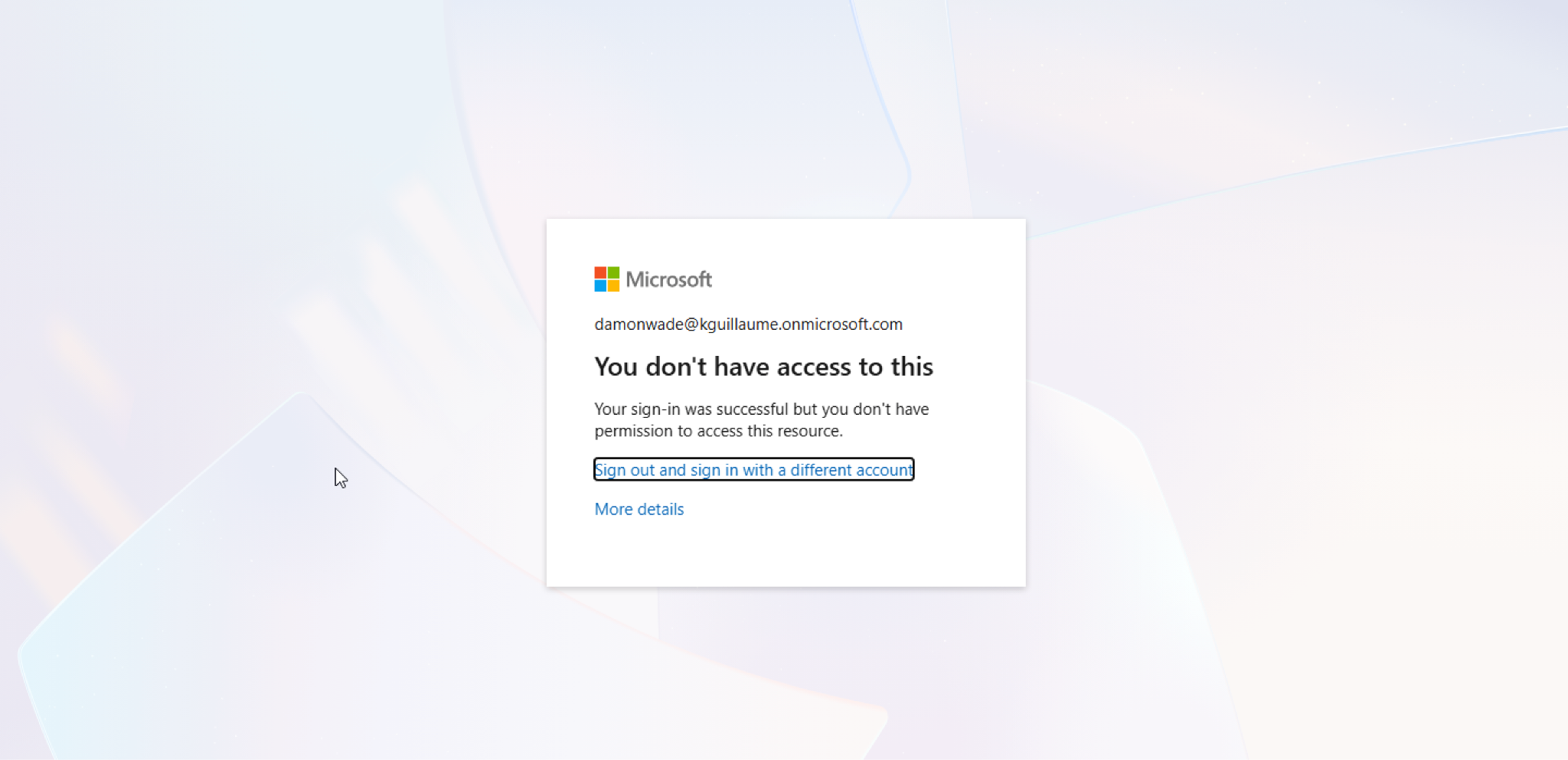
Suspended Employee Access Successfully Blocked
I tested Damon Wade's account after assigning the policy. The account was successfully prevented from accessing the protected environment, confirming that the policy was being enforced as intended.
05 — MFA Results
Authentication requirements were assigned by group and verified through a real user sign-in.
Microsoft Authenticator was configured for the IT and HR groups. Testing with April Wendt, an HR user, confirmed that the group-based authentication configuration resulted in an MFA registration prompt during sign-in.
06 — RBAC Results
Permissions were tested to verify both authorized actions and access restrictions.
The RBAC portion of the lab demonstrated how Microsoft Entra ID roles can limit administrative permissions based on a user's responsibilities. Kenzie Henderson was able to reset a user's password, but could not access Conditional Access configurations. This provided hands-on experience with role-based permissions and the principle of least privilege.
07 — Conditional Access Results
Access policies were configured and validated through user testing.
Configured multiple Conditional Access policies within Microsoft Entra ID to control access based on user conditions and security requirements. The "Restrict Access for Suspended Employee" policy was specifically assigned to Damon Wade, a suspended employee in the lab environment. Testing Damon's account confirmed that the Conditional Access policy successfully prevented the account from accessing protected resources.
08 — Challenges
Troubleshooting identity configuration, authentication, MFA, SSPR, RBAC, and Conditional Access.
During the lab, I worked through configuration issues involving authentication methods, user assignments, SSPR, MFA, role-based permissions, and Conditional Access policies. Testing both successful and denied actions helped verify that permissions, authentication requirements, and access policies were being applied as intended.
09 — What I Learned
Practical experience with identity, authentication, MFA, SSPR, RBAC, Conditional Access, and least-privilege access.
This project gave me hands-on experience managing cloud identities and access within Microsoft Entra ID. I learned how to configure users and groups, assign authentication methods, implement Microsoft Authenticator MFA, configure Self-Service Password Reset, assign administrative roles, create Conditional Access policies, and test permissions and access restrictions. The project reinforced the importance of group-based access, policy enforcement, and least-privilege security.