Infrastructure / Identity Management
ACTIVE
DIRECTORY.
Using a Windows 2022 Server I configured in my VMWare virtual machine, I organized an Active Directory environment to practice domain management, organizational units, user administration, security groups, and account troubleshooting.
01 — Objective
Build a functional Active Directory environment that simulates how users, groups, and organizational resources can be managed within an enterprise domain.
02 — Environment
03 — Implementation
04 — Lab Evidence
01 — Active Directory Overview
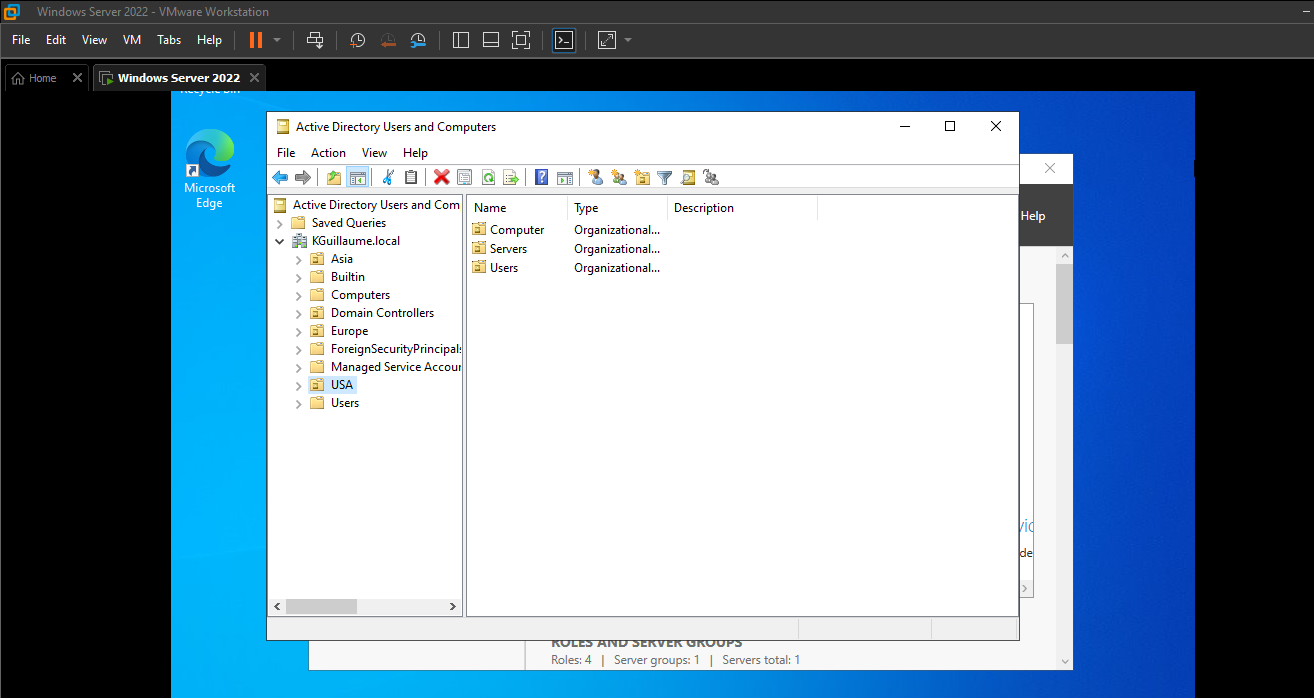
Active Directory Users and Computers
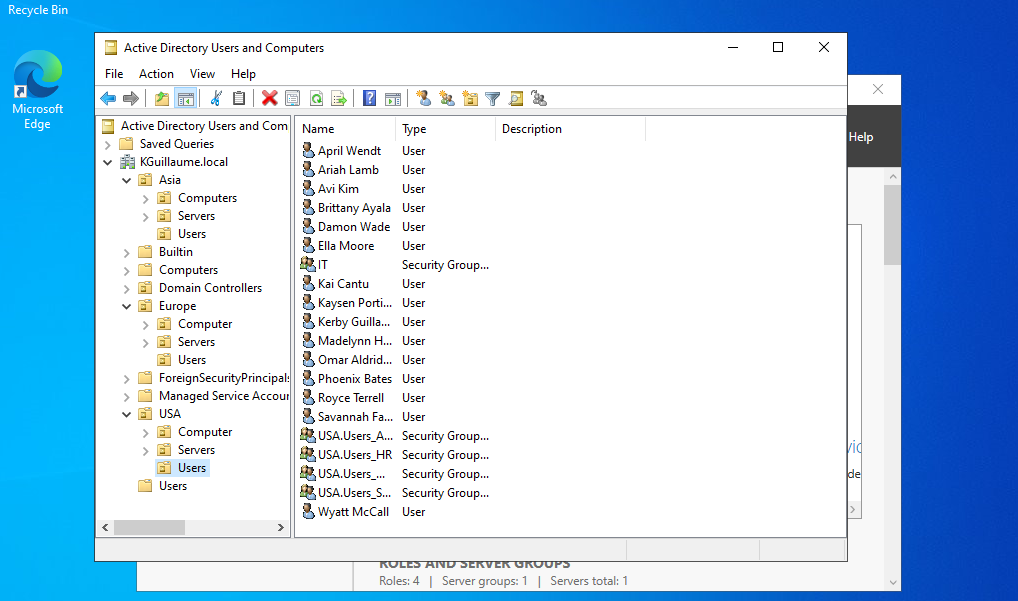
I organized a domain named "KGuillaume.local" where I have various users and groups. Specifically here, we see the users, computers, and servers categorized in Active Directory.
02 — Organizational Units
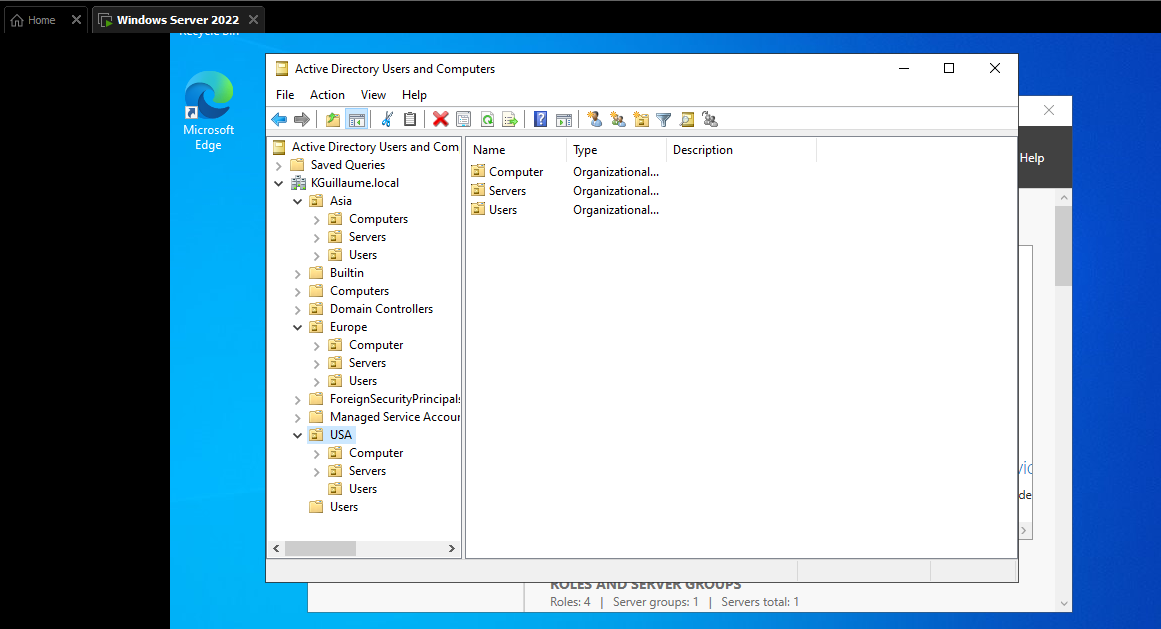
Organized the Domain Using OUs
In addition to the domain, I created and organized Organizational Units (OUs) to provide a structured way to manage users and resources within Active Directory [Expanded on the left side]. I also created regional security groups for Asia, Europe, and USA to demonstrate group-based organization within the domain. We'll take a look at these below.
03 — User Management
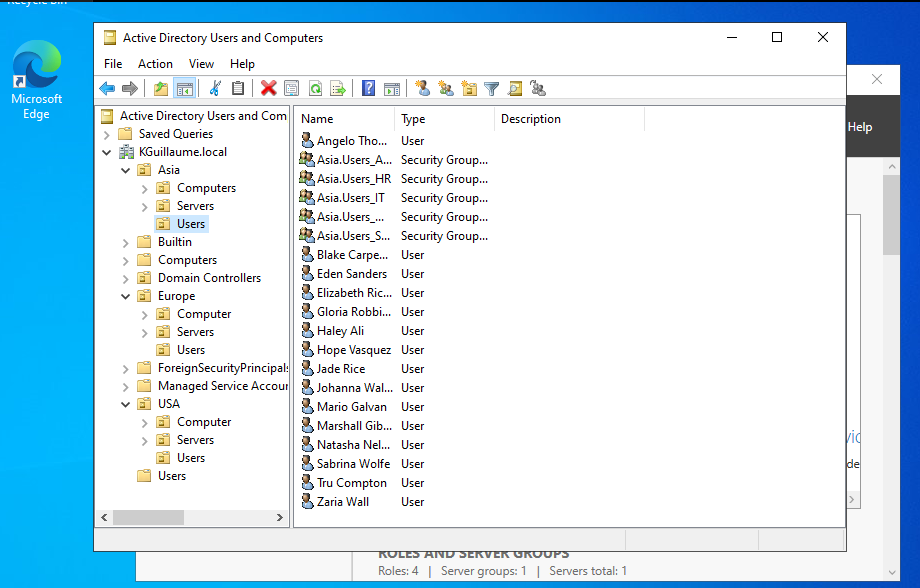
Asia User Group
Here, we have Asia. We can see the users I created and associated with the Asia region. When examining the list, we can also see that I've created security groups for designated departments such as IT and HR. Grouping users by region provides a structured approach to identity and access management. This structure is also applied to the Europe and USA regions, which we'll see below.
04 — User Management
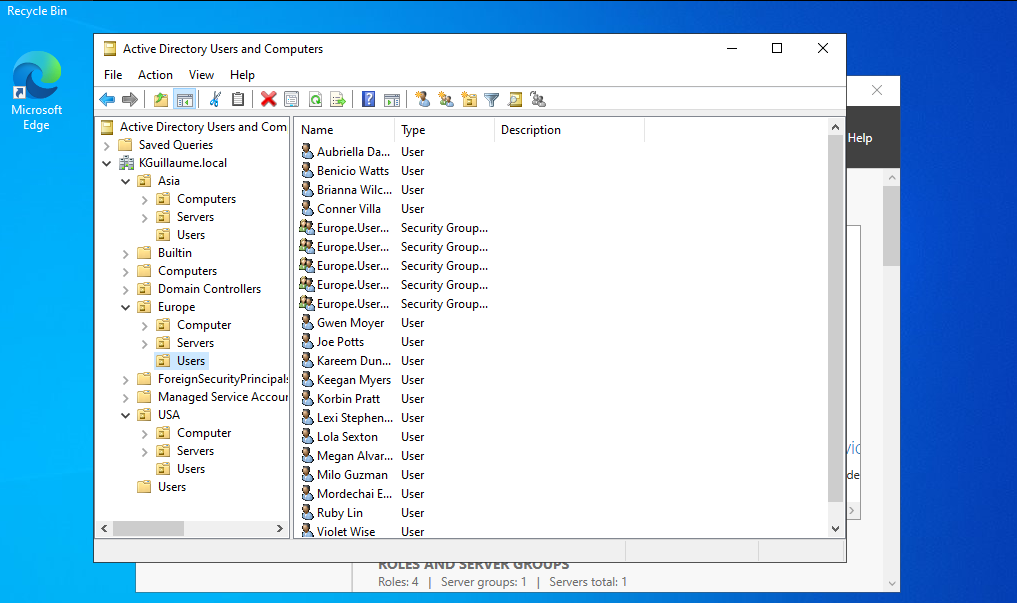
Europe User Group
Created and organized users associated with the Europe region as part of the domain's regional identity structure.
05 — User Management
USA User Group
Created and organized users associated with the USA region to demonstrate group-based organization within Active Directory.
06 — Account Troubleshooting
Jade Rice — Locked User Account
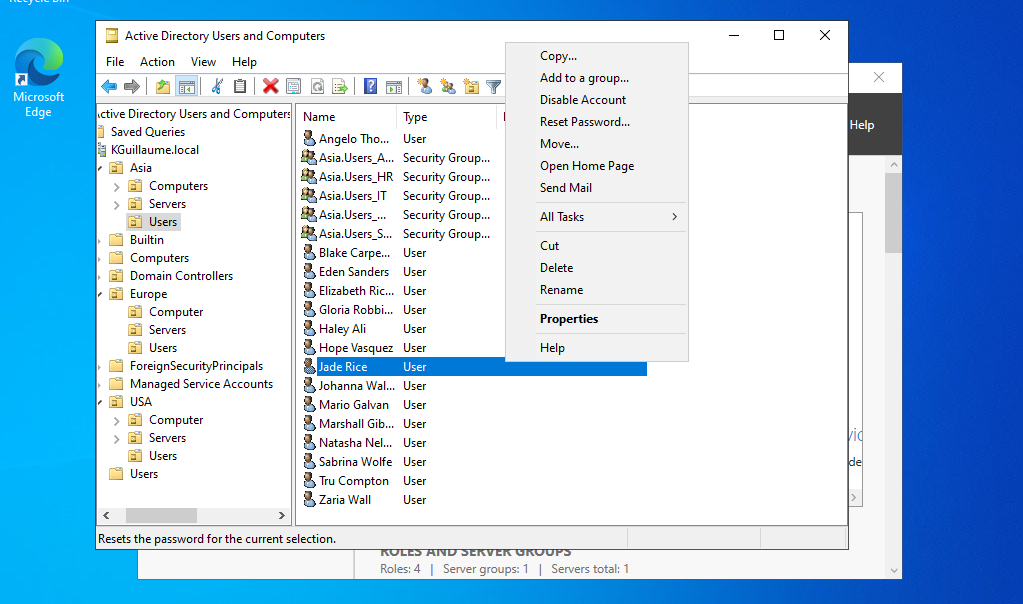
We have a common help desk scenario where Jade Rice, a user in the organization, needs a password reset as she has been locked out of her account.
07 — Account Recovery
Reset Jade's Password
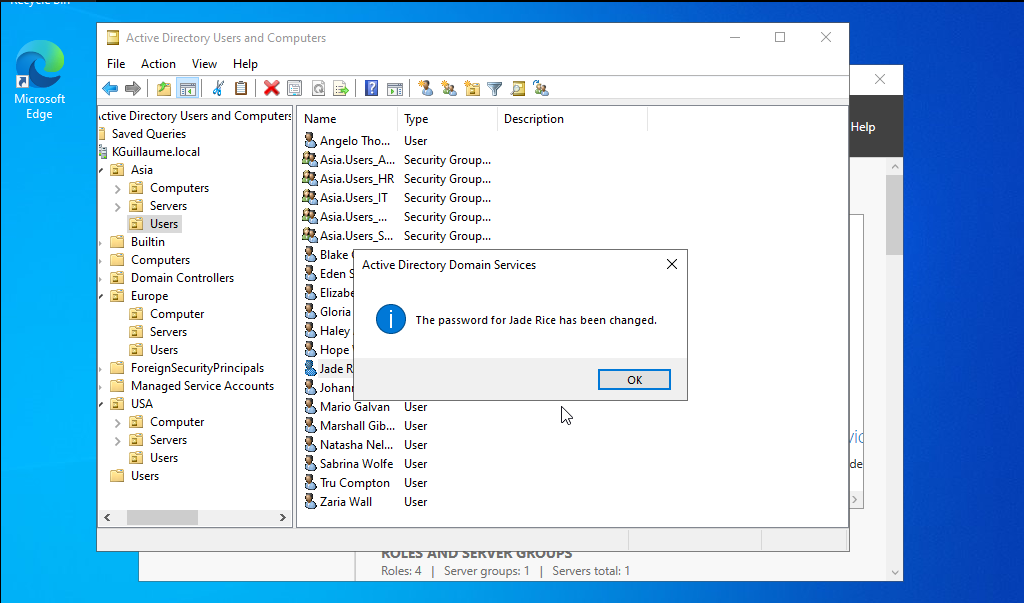
I used Active Directory administrative tools to reset Jade Rice's password and restore access to the user account.
05 — Results
Successfully configured users, groups, organizational units, and account recovery within the Active Directory environment.
The completed lab demonstrated the ability to manage users and groups within an Active Directory domain, organize users by region, and troubleshoot a locked user account. The password reset process successfully restored the user's account credentials and provided hands-on experience with a common IT support task.
06 — Challenges
Troubleshooting account access and understanding Active Directory administration.
One of the main troubleshooting scenarios involved a locked user account. I worked through the process of identifying the affected account and resetting the user's password using Active Directory Users and Computers. This helped reinforce the workflow an IT support technician may use when resolving account access issues.
07 — What I Learned
Practical experience with Active Directory administration, user management, groups, organizational units, and account recovery.
This project gave me hands-on experience managing users and groups within an Active Directory domain. I learned how to organize users using Organizational Units, manage regional security groups, troubleshoot locked accounts, and perform password resets. The project also reinforced the importance of structured identity management and effective troubleshooting when supporting users in an enterprise environment.